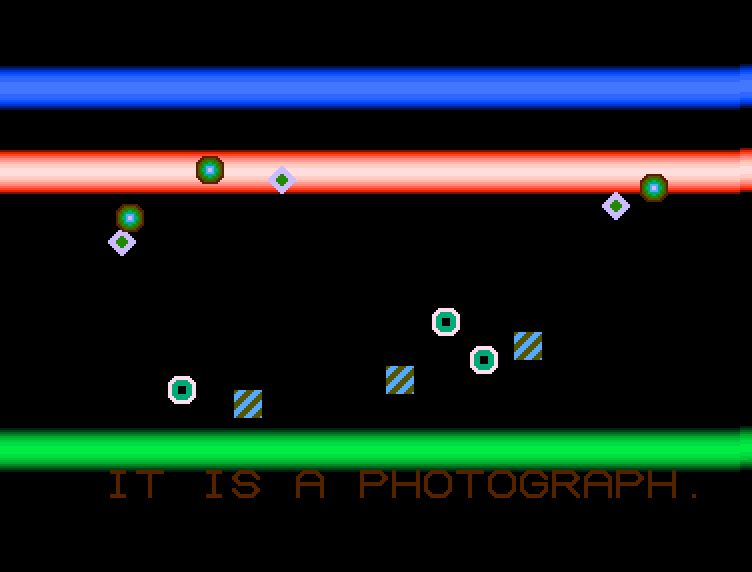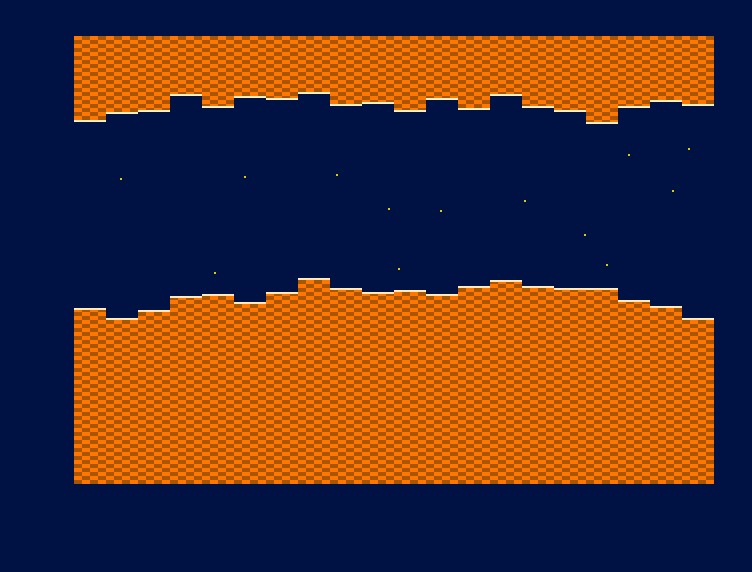
Cover of Amiga Assembly: white title on black, thin red lines across the cover, a rainbow Amiga A logo, and a line drawing of an Amiga 500 keyboard on a grid.
AmigaComing soon

Amiga Assembly

From the Motorola 68000 to the Amiga Hardware

Programming the Amiga, instruction by instruction

by Rohan A. Banerjee and Henry Mercer

On Amazon

The Amazon link for this book is coming soon.

Every listing was assembled and run. Every figure is a photograph of a real screen.

Amiga Assembly is a complete course in programming the Commodore Amiga the way the machine was actually programmed: in 68000 assembly language, on the bare metal, with the operating system switched off and the custom chips answering directly.

It begins at the first byte — what a register is, how hexadecimal and two’s complement work, how to set up vasm, vlink and an emulator on Windows, macOS or Linux — and it ends with two finished disks that boot on a real A500: Veldrin, a side-scrolling game, and Two Hundred and Twenty-Seven, a demo with copper bars, a scroller, bobs and music.

In between: the whole 68000 instruction set with measured cycle counts; bitplanes, the display window, and the constants that differ between PAL and NTSC; four thousand and ninety-six colours, Extra Half-Brite and HAM; the Copper, a coprocessor that waits for the beam; the Blitter, its four channels and its 256 functions; eight hardware sprites and where they really land; scrolling, dual playfield, and who wins each colour clock on a bus you share with the chips. Then interrupts and the vertical blank, the CIA timers, Paula, collision detection and chip RAM discipline. Then AGA, real hardware, floppy disks, and releasing your work.

What makes this book different is that it measures. The numbers here are not copied from a data sheet. Where a figure had to be simplified, the book prints what was left out.

For anyone who can already program a little and wants to understand a machine completely rather than approximately — whether that means writing a game, joining the demoscene, or finding out what a computer looks like when there is nothing between you and the hardware.

Inside the book

  • 815 pages: seven parts, 53 chapters, 12 appendices
  • The whole 68000 instruction set, with measured cycle counts
  • Bitplanes, the display window, PAL and NTSC, Extra Half-Brite and HAM
  • The Copper, the Blitter and its 256 functions, eight hardware sprites
  • Interrupts, the CIA timers, Paula and four channels of sound
  • Veldrin, a side-scrolling game, and Two Hundred and Twenty-Seven, a demo — with their whole source printed and commented
  • AGA, real hardware, floppy disks, and releasing your work
  • 175 pages of reference: register maps, colour tables, minterms, the DMA slot table

What makes this book different

  • Every figure is a capture

    All 244 figures were photographed from a running machine. If a figure shows a screen, the program that drew it is in the repository.

  • Everything is measured

    Cycle counts are timed, colour tables are generated and photographed, and the DMA slot table is built from what the machine actually does.

  • 402 exercises, all answered

    Every chapter ends with workshops, and every one of them is answered in full: 37 pages of worked solutions.

  • No Commodore ROM needed

    Everything boots under AROS, so no Kickstart image is required, redistributed or included.

Built in this book

A game and a demo, from specification to disk

Amiga

Veldrin

A side-scrolling game for the Amiga 500, written on the bare metal with the operating system switched off. It boots from its own floppy, on a real A500 or in an emulator, with no Kickstart ROM needed.

From Amiga Assembly
Contents

7 parts, 53 chapters

Code for every chapter →

Part I Before the first byte

  1. 01The machine that arrived too early: what the Amiga is, and why it is programmed this way
  2. 02Numbers a computer understands: bits, bytes, hexadecimal, and two's complement
  3. 03Inside the case: the 68000, Agnus, Denise, Paula, the CIAs, and the memory map
  4. 04Setting up the development environment on Windows, macOS, and Linux
  5. 05Your first program: a coloured screen, assembled, booted, and photographed
  6. 06Seeing inside the machine: the emulator's debugger

Part II The 68000 language

  1. 07Registers, data sizes, and the shape of a 68000 instruction
  2. 08Moving data: MOVE and every addressing mode
  3. 09Arithmetic: add, subtract, multiply, divide, and sign extension
  4. 10Logic, bits, shifts, and rotates
  5. 11Making decisions: the condition codes, Bcc, DBcc, and Scc
  6. 12Subroutines, the stack, and the stack frame
  7. 13Tables, pointers, and position-independent code
  8. 14Counting cycles: what an instruction costs on a 7 MHz 68000
  9. 15vasm and vlink: labels, macros, includes, sections, and the executable

Part III The copper, the blitter, and the bus

  1. 16Taking the machine: switching off the operating system and taking the interrupts
  2. 17How a frame is built: two standards, 227 colour clocks, and the DMA slot table
  3. 18Bitplanes: planar graphics, bitplane pointers, and a screen you can draw on
  4. 19The display window: DIWSTRT, DDFSTRT, the modulos, and the constants that differ
  5. 20Colour: four thousand and ninety-six colours, measured
  6. 21The copper: a coprocessor that waits for the beam
  7. 22Copper lists that do real work: splits, bars, and lists that write themselves
  8. 23Extra Half-Brite and HAM: sixty-four colours, and four thousand
  9. 24Hardware sprites: eight objects, their DMA, and where they really land
  10. 25Attached sprites, sprite reuse, and priority against the playfield
  11. 26The blitter: four channels, three sources, and two hundred and fifty-six functions
  12. 27Blitter graphics: masks, shifts, cookie-cut, and a bob that moves
  13. 28Blitter fill and blitter lines
  14. 29Scrolling: fine, coarse, and a playfield wider than the screen
  15. 30Dual playfield and the priority register
  16. 31Who owns the bus: the 68000 bus cycle, and who wins each colour clock

Part IV Making it a game machine

  1. 32The vertical blank interrupt: the heartbeat of a game at fifty and at sixty
  2. 33Double buffering, and a frame that never tears
  3. 34Reading the world: joystick, mouse, the CIAs, and the keyboard
  4. 35The CIA timers: measuring time without the operating system
  5. 36Paula: four channels, eight-bit samples, period, and volume
  6. 37An engine for sound effects and music, at either frame rate
  7. 38Chip RAM discipline: where things must live, and how to place them
  8. 39Collisions: CLXDAT, bounding boxes, and detection that holds up
  9. 40Score, text, and a font drawn by the blitter
  10. 41Random numbers and game states

Part V A complete game and a complete demo

  1. 42Veldrin I: from the specification to a world that scrollsGame
  2. 43Veldrin II: enemies, sound, score, and the finished diskGame
  3. 44Two Hundred and Twenty-Seven: copper bars, a scroller, bobs, and musicGame
  4. 45Where to go next: three projects, sketched

Part VI Beyond the A500

  1. 46Fifty hertz and sixty: one game, right on both
  2. 47AGA I: eight bitplanes, twenty-four-bit colour, and HAM8
  3. 48AGA II: fetch modes, wider sprites, and what breaks when you move up
  4. 49Optimisation: cycles, chip RAM, and the tricks that buy both

Part VII Giving the machine back

  1. 50Living with AmigaOS: opening a screen, and giving the machine back
  2. 51Loading from disk: the bootblock, trackdisk, and a loader of your own
  3. 52Testing on real hardware: real A500s, real monitors, real floppies
  4. 53Releasing your work: disk images, WHDLoad, and the scene today

Appendices

  1. AThe 68000 instruction set, with measured cycle counts
  2. BCustom chip register map: Agnus, Denise, Paula, PAL and NTSC
  3. CCIA register map and timer tables
  4. DColour tables: OCS/ECS 4096, EHB, HAM6, and AGA 24-bit
  5. ECopper and blitter reference: the 256 minterms and the slot table
  6. Fvasm, vlink, and emulator command reference
  7. GTroubleshooting: what a broken screen is telling you
  8. HWorkshop solutions, every chapter
  9. IGlossary and reading paths
  10. JVeldrin: the complete source, commented
  11. KTwo Hundred and Twenty-Seven: the complete source, commented
  12. LIndex

Errata

Corrections

No errors have been reported for this edition yet.

Found a mistake? Open an issue on GitHub or write to info@codeandbooksweb.com, with the page number and what it should say.